
How to Set Healthy Boundaries with Your Notifications
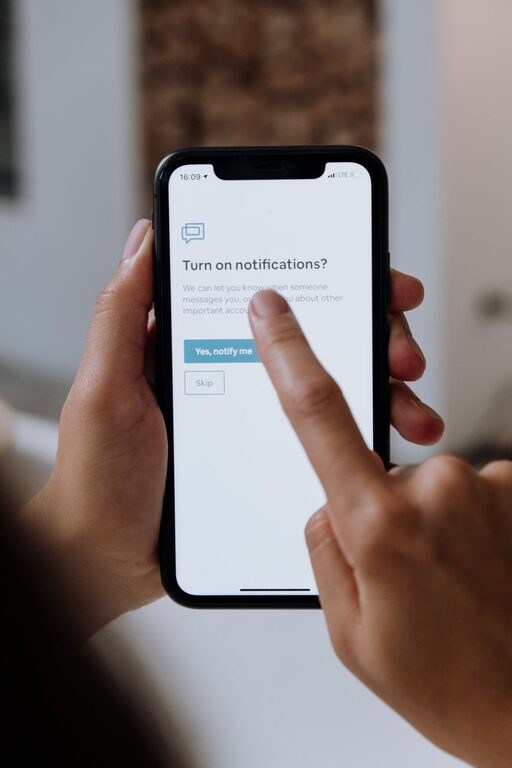
In today’s connected world, notifications keep us informed but can also disrupt our focus and well-being. Without clear boundaries, constant alerts can lead to stress and decreased productivity. Setting boundaries with notifications helps you stay in control, reduce distractions, and improve your overall quality of life.
This post will guide you through simple, effective strategies to manage your notifications thoughtfully and intentionally.
Why Setting Boundaries with Notifications Matters
Notifications are designed to grab your attention quickly. While useful for urgent messages, they can easily become overwhelming when every app demands your focus. Some common challenges include:
– Frequent interruptions during work or leisure time
– Difficulty concentrating due to constant alerts
– Increased screen time leading to eye strain and fatigue
– Stress and anxiety from feeling “always on”
By setting boundaries, you create space to focus on what matters most and enjoy moments without digital interruptions.
Tips for Setting Boundaries with Notifications
1. Audit Your Notifications
Begin by reviewing which apps send notifications and how often. Take these steps:
– Go to your device’s notification settings.
– List all apps that send alerts.
– Decide which notifications are essential and which can be disabled.
This helps you identify unnecessary distractions.
2. Prioritize Important Notifications
Keep alerts from apps that truly require your immediate attention, such as:
– Phone calls or messages from family and close friends
– Work emails or project management tools that affect your tasks
– Calendar reminders for meetings or appointments
Turn off or limit notifications from social media, games, or apps used for casual browsing.
3. Customize Notification Settings
Most devices allow you to tailor how notifications appear:
– Use “Do Not Disturb” mode during focused work or rest times.
– Adjust alert sounds, vibrations, or banners to be less intrusive.
– Group notifications to reduce clutter on your lock screen.
Customizing helps maintain awareness without overwhelming you.
4. Set Specific Times to Check Notifications
Instead of responding to alerts immediately, allocate particular times to check your messages and updates. For example:
– Check emails twice a day, such as mid-morning and late afternoon.
– Limit social media browsing to short periods in the evening.
Batching notifications this way improves focus and reduces the urge to constantly check your device.
5. Use Notification Management Tools
Consider apps or built-in features that assist with notification control:
– Focus modes on smartphones temporarily silence non-essential alerts.
– Email filters help sort important messages from newsletters or promotions.
– Third-party apps can block distracting notifications during work hours.
These tools support your boundary-setting efforts effortlessly.
6. Communicate Your Boundaries
If needed, let colleagues, friends, or family know about your notification preferences:
– Inform work contacts about your email response times.
– Ask friends to avoid texting during your focus hours.
Clear communication keeps expectations realistic and respects your digital limits.
7. Reflect and Adjust Regularly
Your notification needs may change over time. Periodically:
– Reassess which alerts are helpful or distracting.
– Adjust settings to match your evolving priorities.
– Experiment with new strategies to improve your experience.
Being flexible ensures your notification system stays effective.
Benefits of Managing Notifications
Setting clear boundaries with notifications can:
– Increase productivity and concentration
– Reduce stress and digital overload
– Improve work-life balance
– Enhance sleep quality by minimizing nighttime disruptions
– Encourage healthier, more intentional technology use
By taking control of your notifications, you create a calmer and more focused digital environment.
Final Thoughts
Notifications are powerful tools when used wisely, but they should serve your needs—not control your day. With these tips, you can set healthy boundaries that protect your time and attention. Start by auditing your alerts, prioritize what matters, and use device features to customize your notification experience. Remember, it’s perfectly okay to say no to interruptions and take back control over your digital life.
Try these strategies to feel more present, productive, and peaceful in the midst of a noisy digital world.