
How to Set Up a Charging Station for Devices: A Step-by-Step Guide
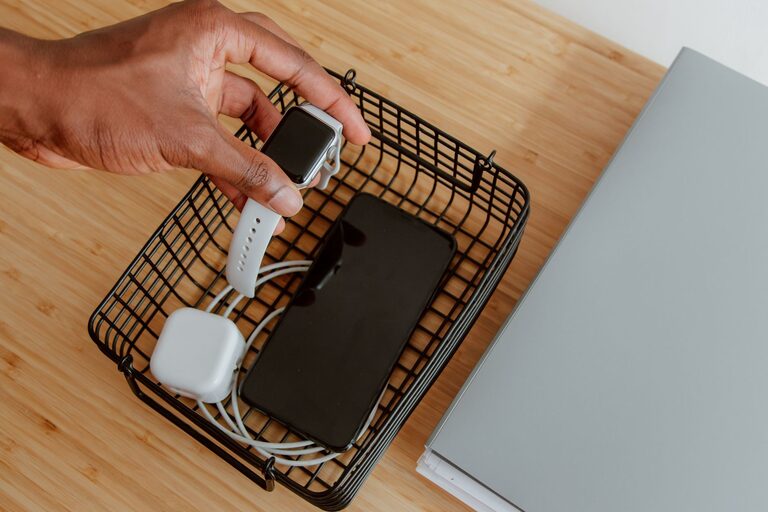
Setting up a dedicated charging station for your devices can simplify your daily routine and keep your space neat. Whether you have smartphones, tablets, wireless earbuds, or other rechargeable gadgets, a well-organized charging area helps prevent tangled cords and lost chargers. This guide will walk you through the steps to create an efficient and practical charging station that fits your needs.
Why Create a Charging Station?
With the number of portable devices many of us use today, charging cables and adapters can quickly clutter countertops, desks, or nightstands. A charging station centralizes power sources, making it easier to charge multiple devices simultaneously while reducing clutter. It also helps extend the life of your cables and chargers by keeping them organized and protected.
Choosing the Right Location
Consider Accessibility
Select a spot where you typically use or store your devices, such as a home office desk, kitchen counter, or bedroom nightstand. The location should be easily accessible to both power outlets and your daily routine.
Check Power Outlet Availability
Ensure the location has enough electrical outlets nearby for your charging needs. If outlets are limited, consider using a power strip with surge protection.
Assess Space and Safety
Choose a space that can accommodate your devices comfortably without blocking walkways or creating tripping hazards with cables.
Selecting Equipment for Your Charging Station
Charging Hub or Multi-Port USB Charger
A multi-port USB charger or charging hub can charge several devices at once from a single wall outlet. Look for one with enough ports and sufficient power output for your devices.
Charging Dock or Stand
Charging docks or stands keep your devices upright and visible while charging, preventing scratches and saving space.
Cable Management Tools
Use cable organizers such as clips, sleeves, or ties to keep cords neat and prevent tangling.
Power Strip with Surge Protection
If you need multiple outlets, choose a power strip that includes surge protection to safeguard your electronics.
Setting Up Your Charging Station
Step 1: Clear and Clean the Area
Remove clutter and clean the surface where you plan to set up the station.
Step 2: Position Charging Equipment
Place your multi-port charger or dock near the power source. If using a power strip, plug it in and arrange it close to the charger(s).
Step 3: Organize Cables
Connect charging cables to your hub or outlets. Use cable clips or sleeves to route the cords neatly along edges or behind furniture.
Step 4: Label Cables (Optional)
Labeling cables can help you quickly identify which charger belongs to each device, especially if multiple people use the station.
Step 5: Add Device Holders
Place device stands or holders for each type of device you charge regularly. This keeps them upright and easy to access.
Step 6: Test the Setup
Plug in your devices to ensure everything charges correctly and that cables reach without strain.
Tips for Maintaining Your Charging Station
– Regularly Declutter: Remove devices not in use and tidy cables weekly.
– Keep Chargers Updated: Replace worn or incompatible chargers to maintain safety.
– Limit Charging Overnight: Unplug devices once fully charged to conserve energy.
– Ventilation: Avoid stacking devices; keep them spaced to prevent overheating.
Creative Ideas for Your Charging Station
– Decorative Box or Basket: Hide chargers and cables inside a stylish container.
– Wall-Mounted Station: Use shelves or wall organizers to save desk space.
– Portable Cart: A small rolling cart can serve as a mobile charging hub.
– Labeling with Color-Coded Tags: Assign colors to cables or device holders for easy identification.
Conclusion
Setting up a charging station is a simple project that can enhance your home or office environment. By choosing the right location, equipment, and organization methods, you can keep your devices powered efficiently and your space clutter-free. Whether you prefer a minimalist setup or a creative charging hub, a dedicated station will save you time and frustration in the long run. Happy charging!